What is new
- Articles
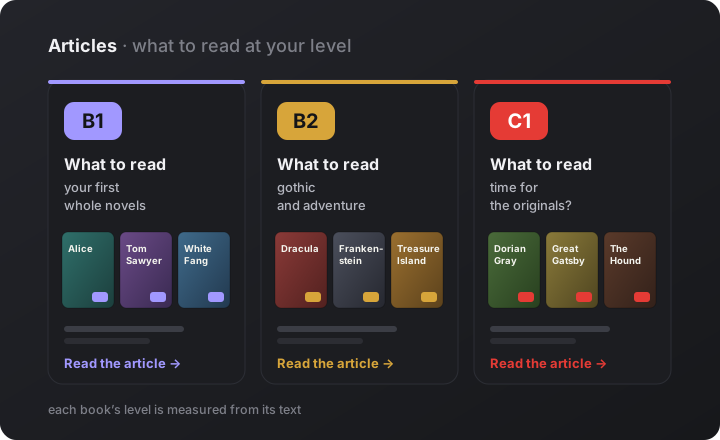
Articles: how to pick an English book you will actually finish
The usual reason people drop an English book is not laziness but the wrong book: a notch too hard and it turns into a dictionary, a notch too easy and it is a dull exercise. So we opened Articles and put out the first three guides, one for each level.
- B1: your first whole novels — Books and audiobooks in English for B1: Alice, Tom Sawyer, White Fang, and one scene shown at three levels so you can see the difference yourself.
- B2: gothic and adventure — Books and audiobooks in English for B2: Dracula, Frankenstein, Treasure Island, a “two pages, three questions” check for B2 or still B1, and how not to drown in a long novel.
- C1: time for the originals? — Books and audiobooks in English for C1: how an original differs from an edition, why so many children’s books are on the list, and the most honest test of whether you are ready for nineteenth-century English.
- Articles
Three more articles: starting out, listening, and finishing a book
The level guides answer what to read. These three answer how: where to start if B1 still feels far away, how to read and listen at the same time, and what to do so a book does not stop on page twenty.
- Before your first real book — English books for beginners: an honest answer for A1–A2, a 100-word page test, and five B1 editions to start with.
- Read with your ears — English audiobooks: why reading and listening together works better than listening alone, what a synthetic voice can and cannot do, and where to find free audiobooks read by people.
- Get to the last page — How to read books in English: a 14-day plan, which words to look up and which to skip, and when it is time to swap the book.
- PlatformLaunch
books.dev is open to everyone: share it with someone learning English
From today anyone can open books.dev: no invitation, no waiting list. It is a public beta, so the service already works and will keep changing every week. Below is what you get on day one, and the most important things that arrived just before the opening.
- Open to all — pick a book in the catalogue and start reading; you can browse and open a book without signing up.
- An exact level — every book shows a level with a decimal, like B1.4, measured from the text itself. See it on Alice’s Adventures in Wonderland, Jane Eyre or Dracula.
- Recorded narration — we voiced the books with very pleasant voices and slowed them down a little, so the story is easy to follow by ear; pick the voice and its accent (US, UK or AU).
- A dictionary that speaks — tap a word to translate it and hear a prepared clip in the voice you picked.
- Know the edition — each edition has a description, an editor’s note and a spelling flag, and an adaptation written by a language model says so plainly.
- Sign-in and your data — continue with Google or a six-digit code from your email; you can delete your account yourself and change your mind within 30 days.
- Three languages — the site is available in English, Spanish and Russian, and tapped words are translated into your native language.
- Books
You see exactly how hard a book is: B2.3, not just B2
- A level with a decimal — every book card and book page shows a level like B1.4, so two “B1” books are no longer the same difficulty to you. Compare Pride and Prejudice with The Adventures of Tom Sawyer.
- Measured, not guessed — the level of an original comes from measuring the text itself; where that has not been done yet, you see “≈B2” and a hint saying so.
- In the reader — the header reads “Title · Chapter · B1.4”, and a tap on the title opens a card about the book: the level of this edition and of the original, size and release date.
- Which edition is newer — the table of editions shows the release date and, for adaptations, the adaptation number.
- Audiobooks
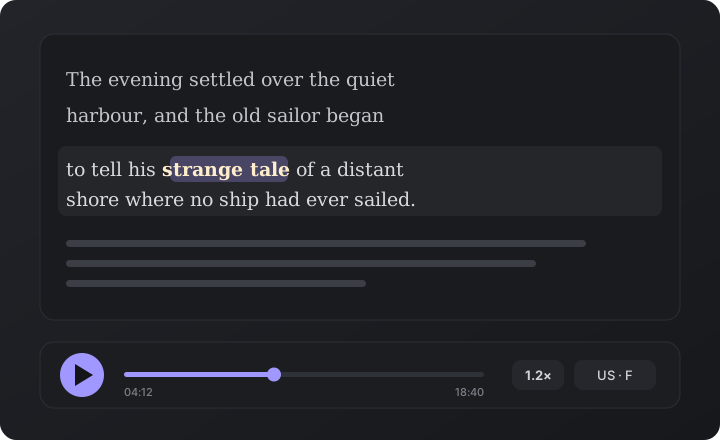
Recorded narration: you choose who reads you the book
- Pick the voice — for books with a recorded edition the player offers several voices, each with a flag for its accent: US/CA, UK or AU/NZ.
- Starts at once — the sound is recorded in advance, so a chapter begins without a wait and the first words are not cut off.
- Natural pauses — the gaps between sentences fall in the voice’s own silence, so the reading flows instead of running on or stumbling.
- The word you hear — the highlight lands on the beginning of each word as it is spoken, so you can read along by ear.
- See it before you open — a book that can be heard carries an “audio” chip with the accents it comes in; browse the catalogue for them.
- Vocabulary
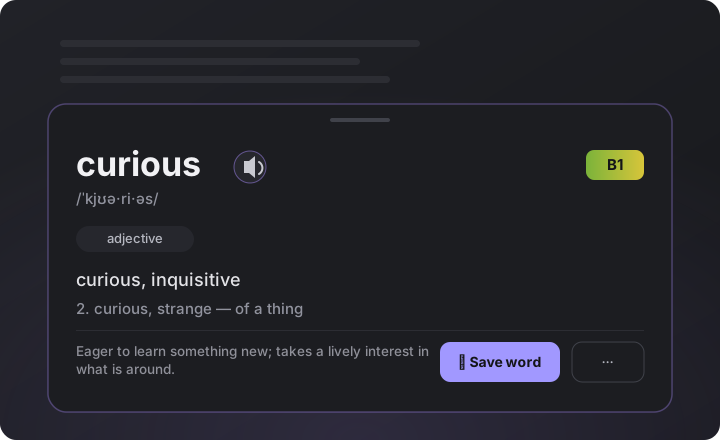
Words in the dictionary are voiced by the voice you picked
- Ready-made clips — tap the speaker button on a word and you hear a prepared recording, not a robotic readout.
- Your accent — choose American or British, a woman’s voice or a man’s, and the words follow your choice.
- Nothing is lost — a word without a prepared clip is still voiced, exactly as before.
- Books
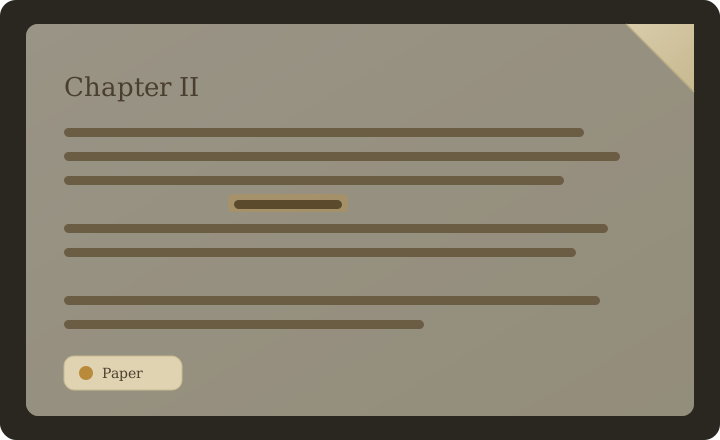
You know what an edition is before you open it
- About this edition — under the table of editions on a book page, the chosen edition gets a description and an editor’s note on what was changed.
- About the level — a short note beside it explains what the edition’s level means in practice.
- Spelling at a glance — a flag shows whether an edition is spelled the American or the British way, and a hint gives example words.
- An honest label — at the end of an adaptation written by a language model, a calm note says so.
- Platform
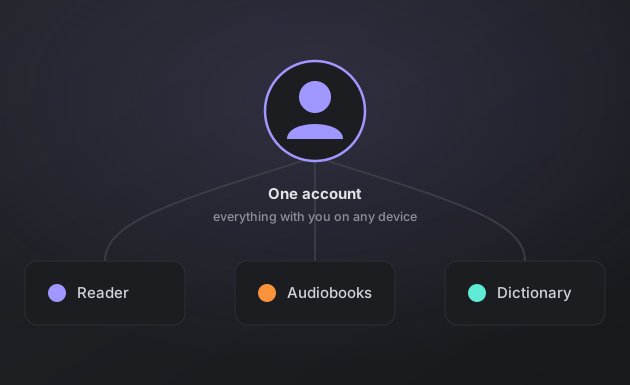
You can delete your account, with 30 days to change your mind
- Your decision — you can delete your account yourself, from your profile.
- A way back — changed your mind? Within 30 days, write to support@books.dev and the account comes back with all its data.
- Platform
Sign in with Google or a code from your email
- One tap — “Continue with Google” signs you in or creates your account without making up a password.
- A six-digit code — prefer email? Enter your address, get a code, type it in: no password to remember.
- Your book stays — if you started reading before signing in, the book is still on your shelf afterwards.
- Platform
books.dev speaks Spanish
- The interface — the whole site, from the catalogue to your profile, is available in Spanish.
- Translations in Spanish — choose Spanish as your native language and tapped words are translated into it.
- Any word — a word nobody has looked up in Spanish yet gets its translation the first time you tap it.
- Vocabulary
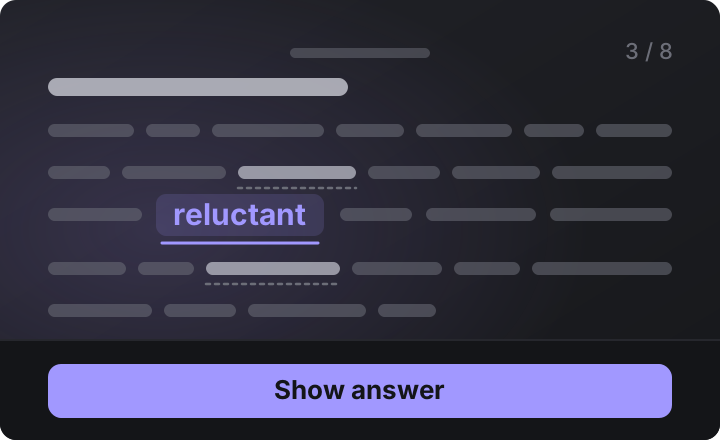
You can learn words inside a text, not just on a card
- A second way — pick “In a text” instead of flashcards in your vocabulary, and words come inside a story.
- Written for you — the text is built around the words that are due, and each of them turns up two or three times.
- Worth the read — it is not a bag of examples but a story or a case you can actually take something from.
- An honest check — when you reveal the answer the text blurs, so you grade the word itself and not the hint beside it.
- One progress — your grade feeds the same reviews as the cards, so you can switch between the two freely.
- What to read — you pick the length, the level, the topics and the format: a case study, a letter, a how-to or a story.
- Reader
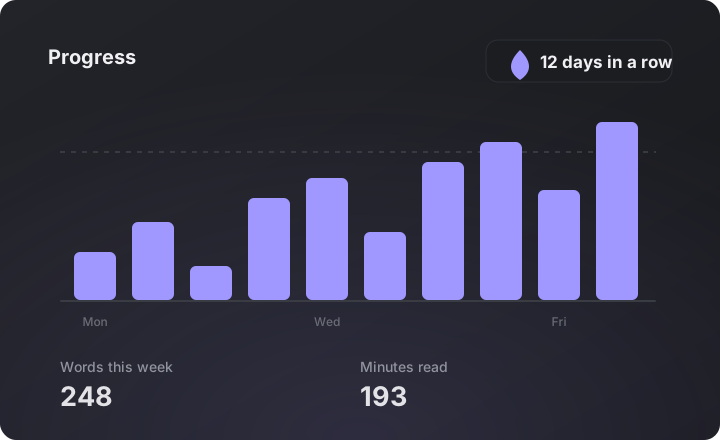
See how you are doing, over a week or a year
- Any stretch — pick a week, a month, a year or your whole history in Progress, and every chart follows.
- Reading time — shown in minutes or in hours: over a long period hours read easily and minutes no longer do.
- The exact number — tap a column and you see what that day actually was, on a phone too.
- Today is dashed — the unfinished day is drawn as an outline, so a short bar means it is still going, not a bad day.
- The bottom line — the sum, the average and the median for the period, so you see your norm and not just the good days.
- Platform
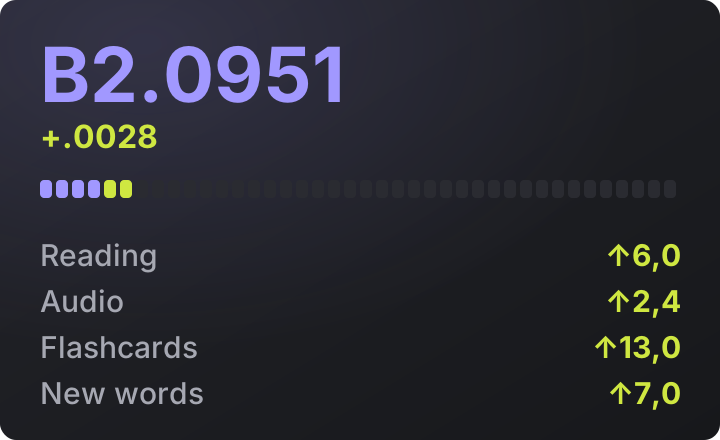
You can see what grows your English
- Four sources — reading, audiobooks, new words and reviews all raise it, and your profile shows what each one brought.
- Audio counts too — an hour of listening gives about as much as half an hour of reading, so a commute or a run counts.
- The gain right away — after a chapter, a card session or when you leave a book you see how much level it brought.
- In numbers — your profile spells out what 20 minutes of reading, 10 new words or 20 cards are worth.
- Days by source — in Progress every column is split into reading, audio, words and reviews.
- Vocabulary
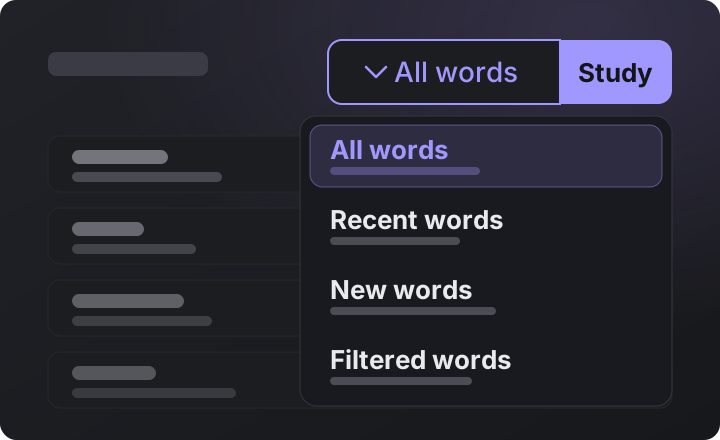
You choose which words to review
- Freshest first — reviews start from the words you added last and move back in time, not the other way round.
- Just the last day — a separate mode takes words from the last 24 hours, so yesterday’s reading gets locked in at once.
- By filter — narrow the list by book, source or search, and you study exactly what is left on the screen.
- Counters show both — above the list you see how many words are left after the filter out of the total.
- Vocabulary
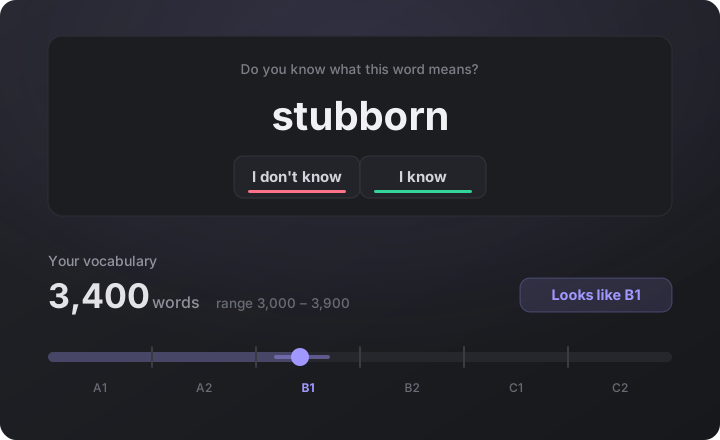
Now you can see how many words you know
- A vocabulary test — three to sixteen minutes, and out comes the number of words you know and a band from A1 to C2.
- Claims get checked — say you know a word and you are asked what it means, with the right option shown right there.
- A breakdown, not one number — a profile by level sits above the ruler, with published ranges for learners and natives beside it.
- You see what it is worth — made-up words are mixed in, and reliability and an honesty index sit right under the number.
- A detailed report — one button opens the whole attempt: word, answer and time, filtered by traps, checks or misses.
- Misses become cards — the words you tripped on go into your reviews in a single tap.
- Refine it later — your answers already count: to narrow the estimate the test simply continues with new words.
- Vocabulary
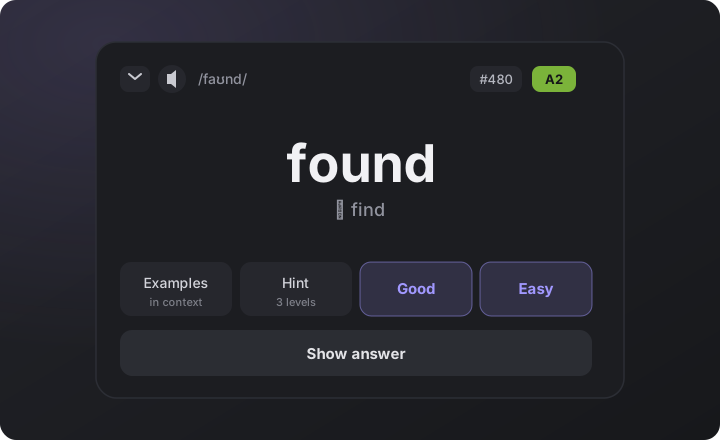
Practice and test, from the keyboard
- Rate without a mouse — press 1–4 or Q/W/E/R, Space reveals the answer, Backspace undoes a stray one.
- Help on 5 and 6 — examples and a hint open from the keyboard too, whatever layout you type in.
- Key caps on [ALT] — the key caps switch on from a button, a single Alt press or a switch in settings.
- The test as well — the vocabulary test runs on numbers and arrows, with a screen counter on top.
- Reader
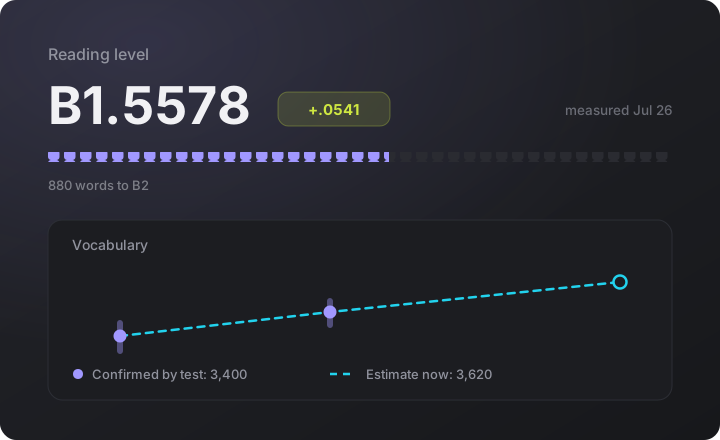
Your reading level grows with you
- A number, not a letter — the level reads B1.5578 and sits by your account icon, so a week of growth already shows.
- It grows by itself — reading and reviews push it up, and the gain sits in lime right under the level.
- A vocabulary chart — Progress shows the number confirmed by the test beside the estimate for today.
- Retest when you like — we say when the gain is big enough to show, and a fresh measurement can never lose it.
- Audiobooks
The book plays with the screen off
- Lock-screen controls — play, pause and skip sit on the lock screen and in the notification shade, next to the cover.
- Your headset works — the button on your headphones turns a page or repeats a sentence without taking the phone out.
- Choose the output — send player and dictionary sound to headphones or a speaker right from the book.
- Vocabulary
A calmer, smarter dictionary
- The popup fits in — in the paper theme the word window turns paper too, instead of a dark patch on the page.
- Sharper breakdowns — the dictionary moved to a newer model: word and phrase lookups come out noticeably cleaner.
- Vocabulary
Park a stubborn word for later
- A “Postpone” button — takes a word out of your reviews without losing its history: bring it back any time.
- We say when it is time — the app offers to park a word after a few misses in a row, or when it is too rare for your level.
- All of it is adjustable — when to hint, how often, and whether to hint at all.
- Audiobooks
Audiobooks come alive: voices, thoughts, scene sounds
- You hear who is speaking — characters’ lines carry a light room around them while the narrator stays dry: dialogue is easier to follow.
- Thoughts sound from within — a thought drifts into a soft echo dead centre, a shout grows louder and wider, a whisper quieter and slower.
- Transitions are audible — a clock behind the wall marks a scene change, and a pencil rustle marks an illustration caption.
- Every effect switches off — the player settings give each one its own switch and a ▶ button to hear it before you decide.
- Platform
A new look across the platform
- A calmer violet — the accent moved away from bright lime: softer on a dark background, less of a pull from the page.
- Books
Take the book with you
- A button on every version — download the original or any adapted level, with the format written on the button.
- Adaptations too — a simplified version is assembled into a real EPUB with cover, illustrations and contents.
- Read it anywhere — the file opens in any reading app or e-ink device: it is not locked inside NewGen.
- Vocabulary
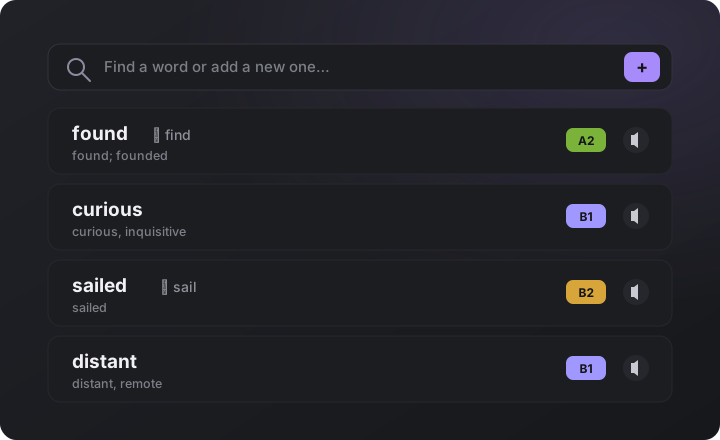
Your whole word list at once
- Paste and import — paste words from your notes or a course: translations arrive on their own and nothing saved is duplicated.
- Where each word came from — from a book, added by hand or imported: every word carries its source, and the list filters by it.
- A goal without a ceiling — the daily quota of new words can be switched off entirely: learn as many as they come.
- Vocabulary
Practice forgives a slip
- Undo a rating — the back arrow brings the previous word back and cancels a stray “Easy”.
- Ratings on both sides — “Again · Hard · Good · Easy” sit on the front as well: you can rate a word without flipping it.
- Examples come up fresh — they appear in a new order each time, so what sticks is the word rather than the screen.
- Vocabulary
Tap-to-translate across the whole app
- Not just in the book — a tap on an English word opens the dictionary in practice examples, book descriptions and footnotes.
- A dictionary inside the dictionary — a word from an explanation, or any synonym, taps right inside the popup, and a new card opens on top.
- Full cards in your vocabulary — an eye button in your list opens the full card: translations, meaning, origin and examples.
- Reader
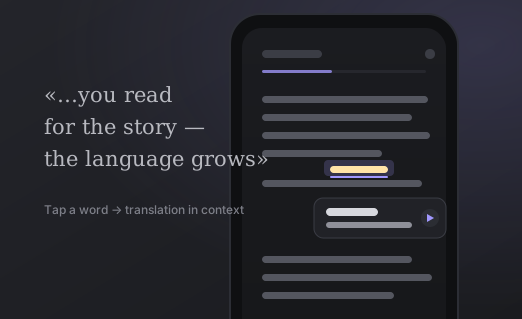
Books read like the original edition
- Footnotes at the bottom — tap a number and the footnote opens at the bottom, as in a paper book; its words translate too.
- The contents page works — the “Contents” page and other internal links are tappable now.
- Italics, poetry, formulas — the author’s emphasis, superscripts and subscripts survive, and stanzas keep their line breaks.
- Reader
Illustrations are back in books
- Artwork right in the text — the engravings of the original editions show inside the chapters again: the classics have Tenniel back.
- Full screen — tap a picture to open it full screen with zoom, so the details are clear even on a phone.
- Live captions — words under a picture tap into the dictionary, turn into flashcards and get read aloud like any other.
- Your own books too — pictures are kept in the EPUB you upload as well.
- Reader
Your book waits at the bottom of the screen
- Back in one tap — after a break the book you left shows up below: cover, progress and a [Read · Listen] pair.
- Never nags — the cross dismisses it, a switch in settings turns it off for good, and finished books are never offered.
- Reader
Swipe any way to turn the page
- Vertical swipe — pages turn up and down as well, whichever way the phone sits in your hand.
- The screen edge behaves — on iPhone a swipe from the very edge now turns the page instead of throwing you out of the book.
- Reader
See yourself reading faster
- A speed chart — Progress now charts your daily reading speed: in words or characters per minute, your choice.
- Pace by book — each book shows your pace beside the time you spent, so it is obvious where the text flows.
- Counted honestly — time in the dictionary, listening to the narration and quick page-flipping do not count.
- Audiobooks
Listen to a book in one tap
- A Listen button — the book page now offers a [Read · Listen] pair: the book reads itself aloud from where you left off.
- Rewind and pace — step a sentence or a page back and forward, and set the speed to suit you.
- A sleep timer — the player fades out by itself after fifteen minutes or at the end of the chapter.
- You can hear each chapter — a second voice reads the start of each chapter, cued by a soft chime and a faint hall echo.
- Lifelike pauses — sentences, paragraphs and chapters get natural pauses, and you choose how long they are.
- Vocabulary
The lookup popup, smoother and smarter
- No more jitter — the tabs stay put, with calm placeholders while the translation loads.
- Meaning right there — the explanation, the word’s origin and a memory hook now sit right in the tab, with no separate card.
- Idioms, explained — set phrases like “no longer” or “go down” are explained as a whole rather than word by word.
- Reader
Comfier reading: on desktop and full-screen
- On a computer — pages turn with the mouse wheel, a trackpad swipe or a click on the edge of the page.
- Full-screen — the browser bars tuck away, and the app installs to open straight from your home screen.
- Vocabulary
Your word list and cards got handier
- Search and add — one field both to find a word in your dictionary and to add a new one by hand.
- The form you met — a word keeps the form you met in the book: found, not find, with the base form always beside it.
- Recall it first — before the answer you can take a three-level hint or five real sentences with the word.
- A memory kit — the answer is laid out in tabs: meanings with examples, the word’s history, an association and an icon.
- Vocabulary
Words are easier to hear and keep
- Buttons at hand — the translation popup lets you replay the word, save it to your list or open the audio settings.
- Voices to choose from — speed, voice and autoplay tuck into a dropdown, and the labels are clearer: US/UK and male/female.
- Books
A bigger catalogue, easier to browse
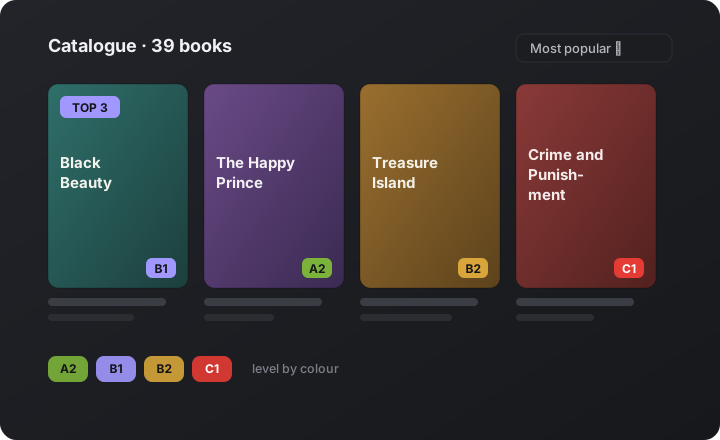
- Twice the books — the choice has doubled to 39 books at A2–C1, from Black Beauty to Crime and Punishment.
- Fitting covers — drawn to match what the book is about, so the shelf is nicer to browse and opens fast.
- Sort and top picks — sort by popularity, level or length; the most sought-after ones wear a top-N badge on the cover.
- Colour-coded levels — green through red as difficulty rises, so a book that fits you stands out at a glance.
- Vocabulary
Word lookups, fuller and clearer
- More translations — they are grouped by part of speech: you see at once that a word can be a verb and a noun.
- In plain words — beside it, a two-line plain-words explanation of what the word means and how it is used.
- A richer card — the full word card now carries meanings with examples and synonyms.
- Reader
Jump to any page in seconds
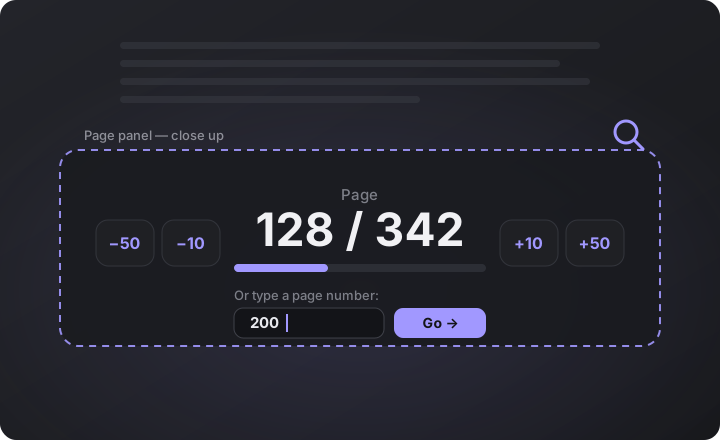
- The page counter — tap it to skip 10 or 50 pages at a time, or type the page number you want.
- Reader
Reading that feels like paper
- Swipe and rustle — swipe to turn pages like a paper book: each turn gives a soft rustle you can quieten or switch off.
- Seven fonts — pick the reading font that is easiest on your eyes, with alignment and paragraph indent.
- A Paper theme — grain and dog-eared corners make reading cosier.
- Books
Your shelf and the catalogue, sorted
- Shelf and search apart — the home page shows only your books, while search and picking new ones live on their own page.
- Level on the cover — each cover shows the level of the original, making it easy to pick a book that fits.
- Audiobooks
Books can read themselves to you
- A natural voice — the book is read aloud, with each word highlighted exactly as it is spoken.
- Words aloud — tap a single word and you hear its pronunciation right away.
- Books
A full catalogue and your own books
- A catalogue with covers — 21 books to filter by level, genre or title.
- Your own book — upload your own favourite in EPUB or TXT and read it the same way, with the dictionary and audio.
- Language your way — keep the interface, translations and explanations each in its own language.
- Platform
Progress and an account
- Words on every device — create an account and your books, words and cards go with you everywhere.
- How much is left — a page count for the whole book, a progress bar and contents are always at hand.
- The Progress page — shows how much you read and how many words you learn.
- ReaderLaunch
NewGen Books is here — read in the original, pick up English as you go
We launched a reader where you simply enjoy books in English, and your language grows along the way. No drills, no cramming: tap any word for a translation, the words you want quietly turn into review, and the book reopens where you left off.
- Real pages — read in real pages like a paper book, with dark, light and paper themes and your own type size.
- Tap to translate — a tap gives the translation, the pronunciation and an explanation in this exact context.
- Cards for memory — the words you keep turn into flashcards and come back right when you would start to forget them.
- Progress in view — a day streak, a daily goal and an activity chart keep you going.